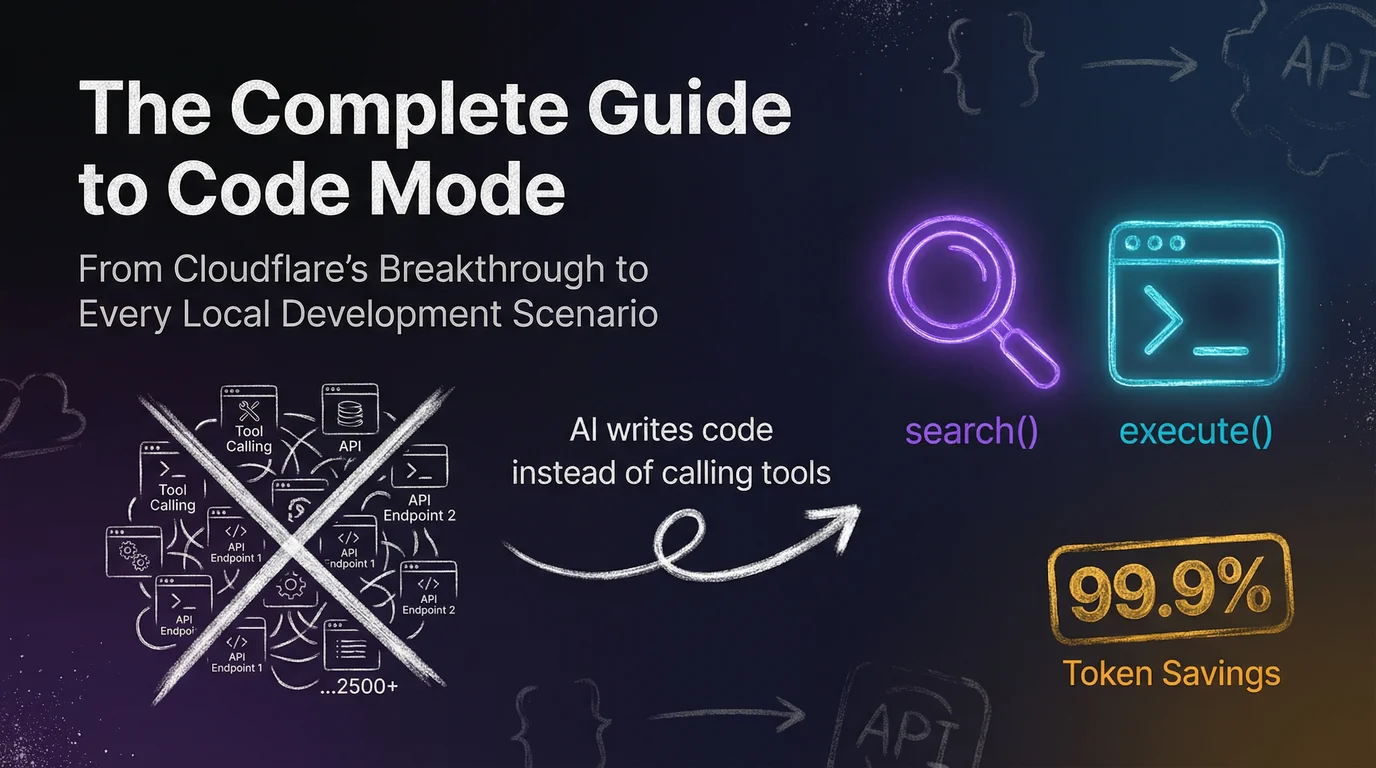
The Complete Guide to Code Mode: From Cloudflare's Breakthrough to Every Local Development Scenario
Last updated: 2026-02-21 Covers Code Mode principles, platform setup, eight real-world scenarios, and open-source server selection.
Table of Contents
1. What Is Code Mode?
1.1 The Paradigm Shift That Started It All
In September 2025, Cloudflare published a blog post titled "Code Mode: give agents an entire API in 1,000 tokens." It pinpointed a critical problem — when an AI Agent needs to operate a large service with thousands of API endpoints, the traditional Tool Calling approach simply can't keep up.
The core problem:
MCP (Model Context Protocol) is an open standard led by Anthropic that lets AI Agents securely connect to external tools and APIs. Traditional MCP describes each API endpoint as a separate "tool" — name, parameter format, return type, the works. Fine when the endpoint count is small. But Cloudflare has 2,500+ endpoints — just stuffing the tool descriptions into the context window takes over 1.17 million tokens.
The AI hasn't done anything yet, and the context window is already full.
Code Mode's answer:
Cloudflare's solution is elegant: instead of making the AI memorize every API detail, turn the AI into an "engineer who reads the docs and writes scripts." This new approach is called Code Mode — a genuine paradigm shift in AI Agent design.
The core idea is simple:
Don't give the AI 2,500 buttons. Give it a manual and a computer.
Code Mode collapses the entire sprawling API surface into just two tools:
search(code) — the AI's "documentation lookup"
- The AI writes a JavaScript snippet to search and filter endpoints from the server-side OpenAPI spec.
- For example, if the AI needs firewall-related APIs, it writes something like:
// AI-generated search code
const results = endpoints.filter(ep =>
  ep.path.includes('firewall') || ep.description.includes('WAF')
);
return results.map(ep => ({
  method: ep.method,
  path: ep.path,
  summary: ep.summary
}));
- The server returns only the matching endpoint summaries — not all 2,500 full descriptions.
execute(code) — the AI's "code runner"
- The AI writes a complete JavaScript snippet that calls the API, handles the response, and chains multiple operations together.
- The code runs inside a V8 isolated sandbox on the server; only the final result is returned.
// AI-generated execute code
const zones = await api.get('/zones');
const myZone = zones.find(z => z.name === 'example.com');
const rules = await api.get(`/zones/${myZone.id}/firewall/rules`);
return {
  zone: myZone.name,
  activeRules: rules.filter(r => r.enabled).length,
  totalRules: rules.length
};
The key differences:
| Dimension | Traditional Tool Calling | Code Mode |
|---|
| AI's role | Button operator (pick a tool → fill in parameters) | Engineer (understand the task → write a script) |
| API discovery | Passive: receives the full tool list upfront | Active: searches for the endpoints it needs |
| Execution model | One JSON call per operation | A single script handles everything |
| Context overhead | Grows linearly with endpoint count | Fixed at ~1,000 tokens |
| Error handling | Each step can fail and restart | Script has built-in try-catch; handles exceptions inline |
1.3 The 99.9% Token Savings (1.17M → 1,069 tokens)
Cloudflare published real benchmark numbers in their blog post:
| Metric | Traditional MCP | Code Mode | Savings |
|---|
| Tool description tokens | 1,170,000 | 1,069 | 99.91% |
| Number of tools | 2,500+ | 2 | 99.92% |
| Round-trips to complete a task | Dozens | 2–4 | ~90% |
| Per-operation context overhead | Hundreds of thousands of tokens | A few hundred tokens | ~99% |
These aren't theoretical projections. Cloudflare benchmarked their full production API — DNS, CDN, WAF, Workers, R2, and more.
Why the savings are so dramatic:
- Minimal tool descriptions. Traditional approaches must describe every endpoint's name, path, HTTP method, all parameters, and return format. Code Mode only needs two tools — "accepts a code string, returns a result." That's it.
- On-demand loading. The AI doesn't need to see all the APIs upfront. It looks up what it needs, when it needs it.
- Distilled results. Code running in the sandbox filters out noise and returns only the information the AI actually needs.
1.4 Official Endorsement from Anthropic
This isn't just one company's experiment. Anthropic — the creator of MCP — later published "Code execution with MCP," formally endorsing the pattern.
Anthropic's research conclusions aligned perfectly with Cloudflare's:
LLMs are far more efficient writing code to call tools than using structured tool calls one by one.
Code Mode has evolved from a single company's experiment into industry consensus. Future MCP servers will increasingly favor providing execute_code over hundreds of individual tools.
Ongoing evolution: On February 20, 2026, Cloudflare released @cloudflare/codemode v0.1.0. This SDK rewrites Code Mode as a runtime-agnostic module, making it straightforward for other platforms to adopt. The community has also responded — frameworks like portofcontext/pctx have emerged, and the ecosystem is expanding rapidly.
2. Under the Hood: How Code Mode Solves the Context Overflow Problem
2.1 The Old Problem with Traditional Crawlers (The 2MB HTML Problem)
Let's make this concrete. Say you ask the AI to scrape the title and main content from a webpage.
Traditional flow:
- AI calls the
fetch_url("https://example.com") tool - The tool returns the entire page as raw HTML
- The AI receives a wall of 2MB of raw HTML — packed with
<div>, <script>, <style>, and <nav> tags - The AI has to "read" all 2MB of noise on your dime
- Tokens spike instantly — the AI either blows past its context limit or its output quality tanks
To put real numbers on it:
| Page type | HTML size | Estimated tokens | Cost with Claude Sonnet |
|---|
| Simple blog post | 100KB | ~25,000 | ~$0.075 |
| News site homepage | 500KB | ~125,000 | ~$0.375 |
| E-commerce product page | 2MB | ~500,000 | ~$1.50 |
| SPA (post-render) | 5MB+ | ~1,250,000 | ~$3.75 |
Yet the "title and main content" you actually needed might only be 200 tokens. That means 99.98% of tokens are wasted on HTML tags, CSS, JavaScript, and navigation bars.
2.2 The "Context Overflow" Problem in Traditional MCP
Web crawlers are just the tip of the iceberg. In traditional MCP architectures, context overflow is a serious structural problem:
Scenario 1: Large-scale API operations
Want the AI to manage Cloudflare? Just the tool descriptions eat up 1.17M tokens. The AI effectively loses its memory before it even starts — the context is entirely consumed by tool descriptions, with no room left for your actual request.
Scenario 2: Multi-step automation
Want the AI to "read 50 log entries → find errors → categorize and count"? Traditional approach requires:
- 50 separate
read_log tool calls (each a complete JSON round-trip) - Every response pushed into the context
- By entry 20, the AI has already forgotten entry 1
- Eventually the AI hallucinates or stalls out
Scenario 3: Batch file processing
Want the AI to refactor 100 files in a project? Traditional approach requires:
- 100
read_file calls - Hundreds of thousands of lines of code crammed into the context
- The AI starts mixing up files, missing changes, or generating inconsistent edits
The root problem: Traditional MCP forces the AI to use its expensive "brain" (the context window) to process large volumes of raw data. It's like asking a top-tier lawyer to personally photocopy a thousand pages of documents — expensive, slow, and a complete waste of their time.
2.3 Code Mode's Sandbox Parsing Mechanism (V8 Dynamic Worker)
Code Mode's solution is elegant: let the AI write code to handle the grunt work, and return only the distilled result to the AI.
Architecture:
flowchart TD
    A["👤 User"] --> B["🤖 AI Model"]
    B -->|"search() / execute()"| C["📡 MCP Server"]
    C --> D["🔒 V8 Isolated Sandbox<br/>Dynamic Worker"]
    D --> E["AI-generated code"]
    E --> E1["Search OpenAPI spec"]
    E --> E2["Call APIs"]
    E --> E3["Parse responses"]
    E --> E4["Filter noise"]
    E1 & E2 & E3 & E4 --> F["✨ Distilled result<br/>(a few hundred tokens)"]
    F --> B

    style D fill:#0f3460,stroke:#5dade2,stroke-width:2px
    style F fill:#1a5c2a,stroke:#2ecc71,stroke-width:2px
V8 Isolated Sandbox Properties:
Cloudflare uses the same V8 isolate environment as Workers (also called Dynamic Workers), with these security characteristics:
| Property | Description |
|---|
| Memory isolation | Each execution runs in a separate V8 Isolate; no access to other processes' memory |
| No file system | No file system access within the sandbox |
| Controlled networking | Can only reach pre-authorized API endpoints |
| Environment variable isolation | Server environment variables and secrets never leak |
| Timeout enforcement | Code execution has a time limit; infinite loops are not possible |
| Ephemeral execution | The sandbox is destroyed after execution completes; nothing persists |
End-to-end example with a web scraper:
- User: "Scrape the titles and links from the top 30 posts on Hacker News"
- AI generates code:
import requests
from bs4 import BeautifulSoup

resp = requests.get("https://news.ycombinator.com")
soup = BeautifulSoup(resp.text, "html.parser")
items = soup.select(".titleline > a")[:30]
result = [{"title": a.text, "link": a["href"]} for a in items]
print(json.dumps(result, ensure_ascii=False, indent=2))
- The code runs in the sandbox: downloads the HTML (500KB) → parses it inside the sandbox → extracts 30 entries
- What the AI receives: a clean JSON array, around 200 tokens
The 500KB of HTML never enters the AI's context. The AI spends a few hundred tokens writing the script and a few hundred tokens reading the result.
2.4 Side-by-Side Comparison: Traditional MCP vs. Code Mode
| Dimension | Traditional MCP | Code Mode MCP |
|---|
| Number of tools | Thousands of individual tools (one per API endpoint) | Just 2 (search + execute), or 1 (execute_code) |
| Tool description token cost | Grows linearly with endpoint count (potentially millions) | Fixed at ~1,000 tokens, regardless of API size |
| AI's role | Tool operator (pick a tool → fill in parameters) | Engineer (understand the task → write a script) |
| API discovery | Passive: receives the full tool list | Active: writes code to search the OpenAPI spec |
| Execution model | One JSON-formatted tool call per operation | A single script handles all operations (loops, conditionals, etc.) |
| Chained operations | Requires multiple conversation turns, one operation at a time | Multiple steps chained within a single script |
| Data filtering | AI reads all returned data using its own tokens | Code filters inside the sandbox; only the essentials come back |
| Security | Depends on server implementation | Enforced isolation (V8 / Docker / Podman) |
| Error handling | Each step can fail and require a restart | Script has built-in try-catch; handles exceptions inline |
| Suitable API scale | Acceptable for small APIs (<100 endpoints) | Works at any scale; advantage grows with API size |
3. Using Code Mode in Claude Code
3.1 Official MCP Setup (Cloudflare): Full Steps Including OAuth
Claude Code natively supports MCP. Adding a server takes a single command.
Step 1: Add the Cloudflare MCP
claude mcp add --transport http cloudflare https://mcp.cloudflare.com/mcp
Step 2: Complete OAuth authentication
In the Claude Code interactive interface, type:
/mcp
This opens the Cloudflare OAuth 2.1 authentication flow. Once you authorize in the browser, Claude Code can operate the Cloudflare API on your behalf.
Step 3: Use natural language to give instructions
Show me the current DNS records for example.com
The AI will automatically:
- Call
search() to find DNS-related API endpoints - Call
execute() to write a script listing all DNS records - Return the organized results
Advanced (optional): Restrict to specific zones
OAuth grants access to all zones in your account by default. To narrow the scope, use API Token authentication instead:
- Go to Cloudflare Dashboard → API Tokens and create a scoped token (specify zones and permissions)
- Add the token to your MCP config:
{
  "mcpServers": {
    "cloudflare": {
      "url": "https://mcp.cloudflare.com/mcp",
      "transport": "http",
      "headers": {
        "Authorization": "Bearer YOUR_SCOPED_TOKEN"
      }
    }
  }
}
Note: Zone access scope is controlled by the Cloudflare token's permissions — not by anything in the MCP JSON config.
3.2 Community MCP Servers (Replicate, jx-codes, elusznik): Installation Commands
Replicate Code Mode MCP
Lets the AI operate Replicate models (image generation, video generation, etc.) via code:
claude mcp add "replicate-code-mode" -- npx -y replicate-mcp@alpha --tools=code
Once installed, the AI writes code to call the SDK when generating images or videos — no more filling in tool parameters one by one.
jx-codes/codemode-mcp (JS/Deno Lightweight Proxy) ⚠️ Unmaintained
Note: This project is no longer maintained. The author has moved on to developing jx-codes/lootbox. The commands below still work, but won't receive further updates. For an actively maintained multi-MCP integration, consider pctx instead (see below).
For power users who want to wrap multiple traditional MCP servers into a single Code Mode interface:
# Install
npm install -g @jx-codes/codemode-mcp

# Add to Claude Code
claude mcp add "codemode-proxy" -- npx @jx-codes/codemode-mcp --config ./codemode.json
Sample config codemode.json:
{
  "upstreamServers": [
    {
      "name": "filesystem",
      "command": "npx",
      "args": ["@modelcontextprotocol/server-filesystem", "/path/to/project"]
    },
    {
      "name": "github",
      "command": "npx",
      "args": ["@modelcontextprotocol/server-github"]
    }
  ],
  "sandbox": {
    "timeout": 30000,
    "allowNetwork": false
  }
}
portofcontext/pctx (Open-Source Model-Agnostic Code Mode Framework) 🆕
An open-source project that emerged in November 2025, with no model vendor lock-in. The New Stack covered it in a dedicated article. The core is written in Rust, with a built-in Deno sandbox (10-second timeout, no file system access, network restricted to configured MCP hosts) and a TypeScript compiler (typescript-go, type-checking in < 100ms). Supports Claude, GPT, Gemini, and any local model — no vendor lock-in.
pctx exposes three MCP tools:
| Tool | Purpose |
|---|
list_functions() | Lists the TypeScript namespace of all available functions |
get<em>function</em>details(functions) | Returns the full TypeScript signature and JSDoc for a function |
execute(code) | Runs TypeScript in the Deno sandbox; returns { success, stdout, output, diagnostics } |
macOS installation (brew environment):
# 1. Install the pctx CLI
brew install portofcontext/tap/pctx

# 2. Initialize the config file (run in your project directory)
pctx mcp init

# 3. Add the upstream MCP servers you want to integrate
# HTTP MCP server (e.g., Stripe, Cloudflare)
pctx mcp add stripe https://mcp.stripe.com --bearer "${STRIPE_MCP_KEY}"

# stdio MCP server (e.g., memory, filesystem)
pctx mcp add memory --command "npx -y @modelcontextprotocol/server-memory"

# 4. Verify the connection
pctx mcp list
Other installation methods:
# Install globally via npm
npm i -g @portofcontext/pctx

# One-line install via cURL
curl --proto '=https' --tlsv1.2 -LsSf https://raw.githubusercontent.com/portofcontext/pctx/main/install.sh | sh

# Update
brew upgrade pctx                       # via brew
npm upgrade -g @portofcontext/pctx      # via npm
pctx-update                             # if installed via cURL
Setting up in Claude Code:
claude mcp add supports three scopes:
| Scope | Written to | Effective range |
|---|
--scope user | ~/.claude.json | Global — available in all projects |
--scope local (default) | ~/.claude.json | Current project only (personal, not tracked in git) |
--scope project | .mcp.json (project root) | Project-level, committed to git, shareable with the team |
Method 1: CLI command (global, recommended for personal use)
# Add (global — available in all projects)
claude mcp add pctx --scope user -- pctx mcp start --stdio

# Update: remove first, then re-add
claude mcp remove pctx && claude mcp add pctx --scope user -- pctx mcp start --stdio

# Inspect the config
claude mcp get pctx
claude mcp list
Method 2: .mcp.json (--scope project, for team sharing)
Place a .mcp.json in your project root, commit it to git, and the whole team shares it:
{
  "mcpServers": {
    "pctx": {
      "type": "stdio",
      "command": "pctx",
      "args": ["mcp", "start", "--stdio"]
    }
  }
}
Note: --stdio mode requires a pctx.json file in the working directory. Run pctx mcp init first to create it, otherwise startup will fail. If pctx.json lives elsewhere, specify it with --config:
"args": ["mcp", "start", "--stdio", "--config", "/path/to/pctx.json"]
Setting up in Cursor (~/.cursor/mcp.json):
{
  "mcpServers": {
    "pctx": {
      "command": "pctx",
      "args": ["mcp", "start", "--stdio"]
    }
  }
}
Sample pctx.json config:
{
  "name": "my-ai-agent",
  "version": "1.0.0",
  "servers": [
    {
      "name": "stripe",
      "url": "https://mcp.stripe.com",
      "auth": {
        "type": "bearer",
        "token": "${env:STRIPE_MCP_KEY}"
      }
    },
    {
      "name": "gdrive",
      "url": "https://mcp.gdrive.example.com",
      "auth": {
        "type": "headers",
        "headers": { "x-api-key": "${keychain:gdrive-api-key}" }
      }
    },
    {
      "name": "memory",
      "command": "npx -y @modelcontextprotocol/server-memory"
    }
  ]
}
pctx supports three secure ways to provide secrets:
| Syntax | Source | Example |
|---|
${env:NAME} | Environment variable | ${env:STRIPE<em>MCP</em>KEY} |
${keychain:NAME} | macOS Keychain | ${keychain:mcp-api-key} |
${command:CMD} | External command stdout | ${command:op read op://vault/item/field} |
# Store a secret in macOS Keychain
security add-generic-password -s pctx -a my-key -w "your-secret-value"
Python SDK installation and usage:
Beyond the CLI (which acts as an MCP server for Claude Code / Cursor), pctx also provides a Python SDK for writing agents that call Code Mode directly from Python.
# Basic install (requires Python >= 3.10)
pip install pctx-client
# or with uv
uv add pctx-client

# With AI framework extras (install as needed)
pip install "pctx-client[langchain]"    # LangChain
pip install "pctx-client[openai]"       # OpenAI Agents SDK
pip install "pctx-client[crewai]"       # CrewAI
pip install "pctx-client[pydantic-ai]"  # Pydantic AI
Start pctx as an HTTP server first, then connect from Python:
# Terminal 1: Start the pctx HTTP server (default port 8080)
pctx start

# Terminal 2: Run your Python agent
python main.py
from pctx_client import Pctx, tool

# Define a custom tool
@tool
def get_weather(city: str) -> str:
    """Get weather information for a given city."""
    return f"Sunny in {city}!"

# Connect to the pctx server
p = Pctx(tools=[get_weather])
await p.connect()

# Get tools for each framework
langchain_tools = p.langchain_tools()      # LangChain
openai_tools = p.openai_agents_tools()     # OpenAI Agents SDK
crewai_tools = p.crewai_tools()            # CrewAI
The two modes explained:
pctx mcp start --stdio: runs as an MCP server for Claude Code / Cursorpctx start: runs as an HTTP server for the Python SDK (default port 8080)
When to use it: Complex workflows that integrate multiple MCP servers. For simple, single-tool scenarios, pctx adds unnecessary overhead.
elusznik/mcp-server-code-execution-mode (Python Container Sandbox)
The top recommendation for local development Code Mode. Runs Python code inside rootless containers (Podman / Docker), exposing a single run_python tool — maximum security out of the box (memory/CPU/PID limits, capability drop, timeout enforcement).
Note: This project hasn't been published to PyPI yet — uv tool install and pip install will both fail. Use the uvx --from git+ method below.
macOS installation (brew + uv environment):
# 1. Install a container runtime (choose one — Podman is recommended: lighter, no daemon)
brew install podman
podman machine init && podman machine start
# or: brew install --cask docker

# 2. Pull the Python base image (one-time)
podman pull python:3.13-slim
# or: docker pull python:3.13-slim

# 3. Start the MCP server directly (no need to clone)
uvx --from git+https://github.com/elusznik/mcp-server-code-execution-mode mcp-server-code-execution-mode run
(Recommended) Permanent setup in Claude Code:
Method 1: CLI command (global, writes to ~/.claude.json)
# Add (global — available in all projects)
claude mcp add code-execution --scope user -e MCP_BRIDGE_RUNTIME=podman -- \
  uvx --from git+https://github.com/elusznik/mcp-server-code-execution-mode \
  mcp-server-code-execution-mode run

# Update: remove first, then re-add
claude mcp remove code-execution && claude mcp add code-execution ...
Method 2: Edit .mcp.json (project-level, --scope project)
{
  "mcpServers": {
    "code-execution": {
      "command": "uvx",
      "args": [
        "--from",
        "git+https://github.com/elusznik/mcp-server-code-execution-mode",
        "mcp-server-code-execution-mode",
        "run"
      ],
      "env": {
        "MCP_BRIDGE_RUNTIME": "podman"
      }
    }
  }
}
Local development (if you need to modify the source code):
git clone https://github.com/elusznik/mcp-server-code-execution-mode.git
cd mcp-server-code-execution-mode
uv sync
uv run python mcp_server_code_execution_mode.py
Common macOS issues:
| Issue | Fix |
|---|
| Podman permission error | Run podman machine init and start the machine |
| Docker Desktop file sharing | Settings → Resources → File Sharing, add ~/MCPs |
uvx not found | Confirm uv is in your PATH; restart your terminal or run source ~/.zshrc |
| Can't pull container image | Run podman pull python:3.13-slim manually |
3.3 How to Adjust Your Prompting Style (Traditional vs. Code Mode)
Code Mode doesn't require a major change in how you prompt — the AI will use search and execute automatically. But a few small adjustments can help it work more efficiently:
Traditional prompt:
Check my Cloudflare config and update my WAF rules.
Optimized Code Mode prompt:
You have access to the search() and execute() tools.
First, search for Cloudflare's WAF-related endpoints.
Then write a script to list my current WAF rules.
Finally, add a rule to block requests from high-risk IPs.
Comparison:
| Dimension | Traditional prompt | Code Mode–optimized prompt |
|---|
| Specificity | Vague ("handle this for me") | Clear guidance ("search → script → execute") |
| AI efficiency | May require multiple clarification rounds | Done in one pass |
| Result quality | AI may miss steps | Explicit steps; nothing falls through the cracks |
Pro tip: Add guidance to CLAUDE.md or your system prompt
If you use Code Mode regularly, add this to your project's CLAUDE.md:
## Code Mode Guidelines
- Always use search() to explore the API; never guess endpoint paths
- Add error handling (try-catch) to every execute() script
- For batch operations, run a small test batch first before doing a full run
- Only return key information; don't push the full API response back into the context
4. Using Code Mode in Cursor
4.1 MCP Configuration (mcp.json Examples)
Cursor supports MCP as well. Create .cursor/mcp.json in your project root:
Cloudflare Code Mode:
{
  "mcpServers": {
    "cloudflare": {
      "url": "https://mcp.cloudflare.com/mcp",
      "transport": "http"
    }
  }
}
elusznik local Code Mode:
{
  "mcpServers": {
    "code-exec": {
      "command": "mcp-server-code-execution-mode",
      "args": [],
      "env": {
        "CONTAINER_RUNTIME": "docker"
      }
    }
  }
}
jx-codes proxy mode (chaining multiple MCPs): ⚠️ Unmaintained, see lootbox
{
  "mcpServers": {
    "codemode-proxy": {
      "command": "npx",
      "args": ["@jx-codes/codemode-mcp", "--config", "./codemode.json"]
    }
  }
}
elusznik local Code Mode (uvx method):
{
  "mcpServers": {
    "code-execution": {
      "command": "uvx",
      "args": [
        "--from",
        "git+https://github.com/elusznik/mcp-server-code-execution-mode",
        "mcp-server-code-execution-mode",
        "run"
      ],
      "env": {
        "MCP_BRIDGE_RUNTIME": "podman"
      }
    }
  }
}
4.2 Cursor Rules Integration (.cursorrules Example)
Cursor supports .cursorrules to guide AI behavior. Here's an optimized ruleset for Code Mode:
# Code Mode Rules

## Core Principles
- Always use the search() tool to look up API endpoints; never guess paths
- For multi-step operations, write a complete script and run it with execute() in one shot
- Avoid pushing large amounts of raw data back into the context — filter and summarize inside the script

## Code Style
- All code inside execute() must include error handling
- Output structured results using console.log() or print() (JSON preferred)
- Always test with a small batch before running at scale

## Safety
- Never hardcode secrets or tokens in your code
- Before making changes, list the current state first (read before write)
- Always confirm before executing destructive operations
4.3 Human-in-the-Loop and Safety Confirmation
When using Code Mode to operate on local files or cloud services, safety confirmation matters.
Claude Code's safety mechanisms:
Claude Code has a built-in permission system. By default, the AI prompts for confirmation before running any MCP tool. You can adjust this:
# List current permission settings
claude config list

# Allow specific MCP tools to run automatically (advanced users)
# Configure in .claude/settings.json
Cursor's safety mechanisms:
In Agent mode, Cursor shows you exactly what the AI is about to do. You can:
- Accept
- Reject
- Edit, then accept
Recommended safety strategy:
| Operation type | Recommended policy |
|---|
| Read-only operations (search, queries) | Can be set to run automatically |
| Write operations (updating config, modifying files) | Require human approval |
| Destructive operations (delete, reset) | Mandatory human approval + backup first |
| Network operations (crawling, external API calls) | Require human approval for target URL |
5. Eight Real-World Scenarios
Each scenario includes: Background → Why this MCP → Full setup steps → Runnable code example → Expected output format
5.1 Scenario 1: Interacting with a Large API (Cloudflare's 2,500+ Endpoints)
Background:
You manage several domains through Cloudflare and need to:
- View DNS records for all domains
- Add a WAF rule for a specific domain
- Check traffic analytics for the past 24 hours
The traditional approach means reading API docs, tracking down endpoints, deciphering parameter formats, then calling each one individually. With Code Mode, the AI handles all of it.
Server choice: cloudflare/mcp (official, V8 isolation, 99.9% token savings)
Full setup steps:
# Step 1: Add the Cloudflare MCP
claude mcp add --transport http cloudflare https://mcp.cloudflare.com/mcp

# Step 2: Authenticate
# In Claude Code, type /mcp to complete the OAuth flow
Example prompt:
I want a full picture of my Cloudflare domains. Please:
1. List all zones and their status
2. For example.com, list all DNS records
3. Add a WAF rule to block requests where User-Agent contains "BadBot"
AI-generated search code example:
// Search for zone and DNS-related API endpoints
const results = endpoints.filter(ep =>
  ep.path.includes('/zones') &&
  (ep.tags.includes('Zone') || ep.tags.includes('DNS'))
);
return results.slice(0, 10).map(ep => ({
  method: ep.method,
  path: ep.path,
  summary: ep.summary
}));
AI-generated execute code example:
// 1. List all zones
const zonesResp = await api.get('/zones');
const zones = zonesResp.result.map(z => ({
  name: z.name,
  status: z.status,
  plan: z.plan.name
}));

// 2. Get DNS records for example.com
const myZone = zonesResp.result.find(z => z.name === 'example.com');
const dnsResp = await api.get(`/zones/${myZone.id}/dns_records`);
const dns = dnsResp.result.map(r => ({
  type: r.type,
  name: r.name,
  content: r.content,
  ttl: r.ttl
}));

// 3. Add a WAF rule
const wafRule = await api.post(`/zones/${myZone.id}/firewall/rules`, {
  body: JSON.stringify([{
    filter: { expression: 'http.user_agent contains "BadBot"' },
    action: "block",
    description: "Block BadBot user agent"
  }])
});

return { zones, dns, wafRuleCreated: wafRule.success };
Expected output:
{
  "zones": [
    { "name": "example.com", "status": "active", "plan": "Pro" },
    { "name": "example.org", "status": "active", "plan": "Free" }
  ],
  "dns": [
    { "type": "A", "name": "example.com", "content": "93.184.216.34", "ttl": 300 },
    { "type": "CNAME", "name": "www.example.com", "content": "example.com", "ttl": 300 },
    { "type": "MX", "name": "example.com", "content": "mail.example.com", "ttl": 3600 }
  ],
  "wafRuleCreated": true
}
5.2 Scenario 2: Scaffolding a New Project from Scratch
Background:
You're starting a Next.js full-stack app from zero and need:
- Project skeleton (directory structure, config files)
- Database schema (PostgreSQL)
- API route design
- Basic authentication system
In the old days you'd walk the AI through it step by step: "create the folder first, then the config, then the schema…". With Code Mode, a single script handles the entire initialization.
Server choice: elusznik/mcp-server-code-execution-mode (local execution, with file system access)
Full setup steps:
# Step 1: Install the MCP
uv tool install mcp-server-code-execution-mode

# Step 2: Register with Claude Code
claude mcp add "code-exec" -- mcp-server-code-execution-mode

# Step 3: Create an empty project directory
mkdir my-nextjs-app && cd my-nextjs-app
Example prompt:
I want to build a Next.js 15 full-stack app with:
- User authentication (email + password)
- PostgreSQL database (using Drizzle ORM)
- API routes (RESTful)

Please use execute_code to write a script that does all of the following in one shot:
1. Generate the complete directory structure
2. Write all config files (tsconfig, next.config, drizzle.config)
3. Create the DB schema definition file
4. Create the basic auth API routes
5. Print a list of all created files
AI-generated code example:
import os
import json

PROJECT_ROOT = "/workspace/my-nextjs-app"

# Define the directory structure
dirs = [
    "src/app/api/auth/login",
    "src/app/api/auth/register",
    "src/app/api/auth/logout",
    "src/app/(dashboard)",
    "src/components/ui",
    "src/lib",
    "src/db",
    "public",
]

for d in dirs:
    os.makedirs(os.path.join(PROJECT_ROOT, d), exist_ok=True)

# Write package.json
package_json = {
    "name": "my-nextjs-app",
    "version": "0.1.0",
    "private": True,
    "scripts": {
        "dev": "next dev",
        "build": "next build",
        "start": "next start",
        "db:generate": "drizzle-kit generate",
        "db:migrate": "drizzle-kit migrate"
    },
    "dependencies": {
        "next": "^15.0.0",
        "react": "^19.0.0",
        "react-dom": "^19.0.0",
        "drizzle-orm": "^0.35.0",
        "postgres": "^3.4.0",
        "bcrypt": "^5.1.0"
    },
    "devDependencies": {
        "typescript": "^5.6.0",
        "drizzle-kit": "^0.26.0",
        "@types/node": "^22.0.0",
        "@types/react": "^19.0.0"
    }
}

with open(os.path.join(PROJECT_ROOT, "package.json"), "w") as f:
    json.dump(package_json, f, indent=2)

# Write the DB schema
schema_content = '''import { pgTable, text, timestamp, uuid } from "drizzle-orm/pg-core";

export const users = pgTable("users", {
  id: uuid("id").primaryKey().defaultRandom(),
  email: text("email").notNull().unique(),
  passwordHash: text("password_hash").notNull(),
  createdAt: timestamp("created_at").defaultNow().notNull(),
  updatedAt: timestamp("updated_at").defaultNow().notNull(),
});

export const sessions = pgTable("sessions", {
  id: uuid("id").primaryKey().defaultRandom(),
  userId: uuid("user_id").references(() => users.id).notNull(),
  expiresAt: timestamp("expires_at").notNull(),
  createdAt: timestamp("created_at").defaultNow().notNull(),
});
'''

with open(os.path.join(PROJECT_ROOT, "src/db/schema.ts"), "w") as f:
    f.write(schema_content)

# List all created files
created_files = []
for root, dirs_list, files in os.walk(PROJECT_ROOT):
    for file in files:
        rel_path = os.path.relpath(os.path.join(root, file), PROJECT_ROOT)
        created_files.append(rel_path)

print(f"Created {len(created_files)} files:")
for f in sorted(created_files):
    print(f"  - {f}")
Expected output:
Created 8 files:
  - drizzle.config.ts
  - next.config.ts
  - package.json
  - src/app/api/auth/login/route.ts
  - src/app/api/auth/register/route.ts
  - src/db/index.ts
  - src/db/schema.ts
  - tsconfig.json
5.3 Scenario 3: Refactoring a Large Local Codebase (Batch Changes Across Thousands of Lines)
Background:
You have a project with 200 TypeScript files and need to:
- Replace all
moment.js usage with dayjs - Update all import statements
- Adjust for API differences in date formatting
- Ensure the changes don't break TypeScript compilation
The traditional AI approach would read each file one by one, understand the usage, and propose changes — just reading the files could cost hundreds of thousands of tokens.
Server choice: elusznik/mcp-server-code-execution-mode (local execution, direct file system access, Python script support)
Full setup steps:
# Step 1: Verify the MCP is registered
claude mcp list  # should show code-exec

# Step 2: Start Claude Code in the project directory
cd /path/to/your/project
claude
Example prompt:
This project currently uses moment.js and I want to migrate everything to dayjs.
Please use execute_code to write a Python script that:

1. Scans all .ts and .tsx files for moment usage
2. Replaces `import moment from 'moment'` with `import dayjs from 'dayjs'`
3. Replaces `moment()` calls with `dayjs()`
4. Keeps `.format('YYYY-MM-DD')` unchanged (dayjs uses the same format)
5. Keeps `.toISOString()` unchanged
6. Converts `.diff()` usage to dayjs's `.diff()`
7. Outputs which files were modified and how many changes each had
AI-generated code example:
import os
import re
from pathlib import Path

PROJECT_ROOT = "/workspace/project"
EXTENSIONS = {".ts", ".tsx"}

# Replacement rules
replacements = [
    # import statements
    (r"import\s+moment\s+from\s+['\"]moment['\"]", "import dayjs from 'dayjs'"),
    (r"import\s+\*\s+as\s+moment\s+from\s+['\"]moment['\"]", "import dayjs from 'dayjs'"),
    (r"const\s+moment\s*=\s*require\s*\(\s*['\"]moment['\"]\s*\)", "import dayjs from 'dayjs'"),
    # function calls
    (r"\bmoment\(\)", "dayjs()"),
    (r"\bmoment\(([^)]+)\)", r"dayjs(\1)"),
    # types
    (r"\bmoment\.Moment\b", "dayjs.Dayjs"),
    (r"\bMoment\b(?=\s*[;,\)\]\}>])", "Dayjs"),
]

results = []

for root, _, files in os.walk(PROJECT_ROOT):
    # skip node_modules
    if "node_modules" in root:
        continue
    for fname in files:
        fpath = Path(root) / fname
        if fpath.suffix not in EXTENSIONS:
            continue

        with open(fpath, "r", encoding="utf-8") as f:
            original = f.read()

        modified = original
        change_count = 0

        for pattern, replacement in replacements:
            new_content, count = re.subn(pattern, replacement, modified)
            change_count += count
            modified = new_content

        if change_count > 0:
            with open(fpath, "w", encoding="utf-8") as f:
                f.write(modified)
            rel_path = os.path.relpath(fpath, PROJECT_ROOT)
            results.append({"file": rel_path, "changes": change_count})

print(f"\n===== Refactoring Complete =====")
print(f"Modified {len(results)} files with {sum(r['changes'] for r in results)} total changes\n")
for r in sorted(results, key=lambda x: -x["changes"]):
    print(f"  [{r['changes']:3d} changes] {r['file']}")
Expected output:
===== Refactoring Complete =====
Modified 47 files with 182 total changes

  [ 12 changes] src/utils/date-helpers.ts
  [  8 changes] src/components/DatePicker.tsx
  [  7 changes] src/pages/dashboard/analytics.tsx
  [  6 changes] src/services/scheduler.ts
  [  5 changes] src/hooks/useTimer.ts
  ...
Token cost: ~500 tokens to write the script + ~300 tokens to read the result = ~800 tokens to refactor 47 files. The traditional approach would likely need 50,000+ tokens.
5.4 Scenario 4: Web Scraping (Static Pages + JavaScript-Rendered Pages)
Background:
You want to bulk-scrape titles, links, and summaries from tech news sites for a daily digest. Targets:
- Hacker News (static HTML)
- TechCrunch (SPA requiring JavaScript rendering)
Server choice: elusznik/mcp-server-code-execution-mode (network access enabled to reach external pages)
Full setup steps:
# Step 1: Verify the MCP is registered and network access is enabled
# Enable network access in the elusznik config
claude mcp add "code-exec" -- mcp-server-code-execution-mode --allow-network
Example prompt (static page):
Please use execute_code to scrape the top 30 posts from the Hacker News homepage.
Extract the title, link, and score for each, and return as JSON.
AI-generated code example (static page):
import requests
from bs4 import BeautifulSoup
import json

resp = requests.get("https://news.ycombinator.com", timeout=10)
soup = BeautifulSoup(resp.text, "html.parser")

articles = []
rows = soup.select("tr.athing")

for row in rows[:30]:
    title_el = row.select_one(".titleline > a")
    score_row = row.find_next_sibling("tr")
    score_el = score_row.select_one(".score") if score_row else None

    if title_el:
        articles.append({
            "rank": len(articles) + 1,
            "title": title_el.text.strip(),
            "link": title_el.get("href", ""),
            "score": int(score_el.text.split()[0]) if score_el else 0
        })

print(json.dumps(articles[:10], ensure_ascii=False, indent=2))
print(f"\n... {len(articles)} articles total")
Expected output:
[
  {
    "rank": 1,
    "title": "Show HN: I built a local-first spreadsheet engine in Rust",
    "link": "https://github.com/example/spreadsheet-rs",
    "score": 342
  },
  {
    "rank": 2,
    "title": "Why SQLite is the most deployed database",
    "link": "https://sqlite.org/mostdeployed.html",
    "score": 289
  }
]

... 30 articles total
Example prompt (JavaScript-rendered page):
TechCrunch is a SPA and requires JavaScript rendering.
Please use execute_code with playwright to scrape the latest 10 articles from the TechCrunch homepage.
AI-generated code example (JS-rendered page):
import asyncio
from playwright.async_api import async_playwright
import json

async def scrape_techcrunch():
    async with async_playwright() as p:
        browser = await p.chromium.launch(headless=True)
        page = await browser.new_page()
        await page.goto("https://techcrunch.com", wait_until="networkidle")

        articles = await page.evaluate('''
            () => {
                const items = document.querySelectorAll("article.post-block");
                return Array.from(items).slice(0, 10).map(item => ({
                    title: item.querySelector("h2")?.textContent?.trim() || "",
                    link: item.querySelector("h2 a")?.href || "",
                    excerpt: item.querySelector(".post-block__content")?.textContent?.trim() || "",
                    author: item.querySelector(".river-byline__authors")?.textContent?.trim() || "",
                }));
            }
        ''')

        await browser.close()
        return articles

articles = asyncio.run(scrape_techcrunch())
print(json.dumps(articles, ensure_ascii=False, indent=2))
Token cost comparison:
| Method | Token cost | Speed |
|---|
| Traditional fetch + AI parsing HTML | ~125,000 tokens | Slower (AI reads raw HTML) |
| Code Mode script | ~600 tokens | Very fast (sandbox handles the HTML) |
5.5 Scenario 5: Data Processing (Cleaning and Analyzing a 1GB CSV)
Background:
You have a 1GB e-commerce transaction CSV and need to:
- Clean the data (remove nulls, fix date formats)
- Compute monthly revenue
- Find the top 10 best-selling products
- Output a summary report
Stuffing 1GB of CSV into the AI's context? Not a chance.
Server choice: elusznik/mcp-server-code-execution-mode (local execution, can read large files directly)
Example prompt:
I have a large CSV at /data/transactions.csv (~1GB).
Columns: date, product_id, product_name, quantity, unit_price, customer_id

Please use execute_code to write a Python script that:
1. Reads and cleans the data (remove null rows, fix date formats)
2. Computes total monthly revenue
3. Finds the top 10 best-selling products (by total revenue)
4. Computes summary stats (total orders, total revenue, average order value)
5. Outputs a structured JSON summary
AI-generated code example:
import pandas as pd
import json
from datetime import datetime

# Read the large file in chunks (to avoid running out of memory)
chunks = pd.read_csv(
    "/data/transactions.csv",
    chunksize=100_000,
    parse_dates=["date"],
    dtype={"product_id": str, "customer_id": str}
)

# Initialize aggregation containers
monthly_revenue = {}
product_sales = {}
total_orders = 0
total_revenue = 0.0
valid_rows = 0
invalid_rows = 0

for chunk in chunks:
    # Clean: drop null values
    before = len(chunk)
    chunk = chunk.dropna(subset=["date", "product_id", "quantity", "unit_price"])
    invalid_rows += before - len(chunk)
    valid_rows += len(chunk)

    # Calculate the amount for each transaction
    chunk["amount"] = chunk["quantity"] * chunk["unit_price"]

    # Monthly revenue
    chunk["month"] = chunk["date"].dt.to_period("M").astype(str)
    for month, group in chunk.groupby("month"):
        monthly_revenue[month] = monthly_revenue.get(month, 0) + group["amount"].sum()

    # Product revenue
    for _, row in chunk[["product_id", "product_name", "amount"]].iterrows():
        pid = row["product_id"]
        if pid not in product_sales:
            product_sales[pid] = {"name": row["product_name"], "total": 0}
        product_sales[pid]["total"] += row["amount"]

    total_orders += len(chunk)
    total_revenue += chunk["amount"].sum()

# Top 10 best-selling products
top10 = sorted(product_sales.items(), key=lambda x: -x[1]["total"])[:10]

# Assemble the report
report = {
    "summary": {
        "total_orders": total_orders,
        "valid_rows": valid_rows,
        "invalid_rows_removed": invalid_rows,
        "total_revenue": round(total_revenue, 2),
        "avg_order_value": round(total_revenue / total_orders, 2) if total_orders > 0 else 0,
    },
    "monthly_revenue": dict(sorted(monthly_revenue.items())),
    "top10_products": [
        {"rank": i + 1, "id": pid, "name": info["name"], "revenue": round(info["total"], 2)}
        for i, (pid, info) in enumerate(top10)
    ]
}

print(json.dumps(report, ensure_ascii=False, indent=2))
Expected output:
{
  "summary": {
    "total_orders": 8234567,
    "valid_rows": 8201234,
    "invalid_rows_removed": 33333,
    "total_revenue": 456789012.34,
    "avg_order_value": 55.68
  },
  "monthly_revenue": {
    "2025-01": 35678901.23,
    "2025-02": 38901234.56,
    "2025-03": 42345678.90
  },
  "top10_products": [
    { "rank": 1, "id": "P001", "name": "Wireless Bluetooth Headphones", "revenue": 12345678.90 },
    { "rank": 2, "id": "P042", "name": "Mechanical Keyboard", "revenue": 9876543.21 }
  ]
}
The key point: The 1GB CSV never enters the AI's context. The AI spends ~800 tokens writing the script and receives ~500 tokens of summarized results.
5.6 Scenario 6: Automated Workflows (Scheduled + Conditional Triggers)
Background:
You want to build an automated workflow that:
- Checks GitHub open issues every morning at 9 AM
- Automatically labels any issue with no activity in over 7 days as
stale - Sends a summary to the
#dev-alerts Slack channel
Server choice: jx-codes/codemode-mcp (can chain GitHub MCP + Slack MCP) ⚠️ Unmaintained — consider pctx instead
Full setup steps:
# Step 1: Install codemode-mcp (still functional, no longer updated)
npm install -g @jx-codes/codemode-mcp

# Step 2: Configure upstream servers
# Create codemode.json (see below)

# Step 3: Register with Claude Code
claude mcp add "codemode" -- npx @jx-codes/codemode-mcp --config ./codemode.json
Example prompt:
Please use execute_code to write a script that runs the following workflow:
1. Use the GitHub API to fetch all open issues in yelban/my-project
2. Find issues with no new comments in over 7 days
3. Add a "stale" label to those issues
4. Assemble a summary message
5. Send the summary to the #dev-alerts Slack channel
AI-generated code example:
import { Octokit } from "@octokit/rest";

const octokit = new Octokit({ auth: process.env.GITHUB_TOKEN });
const REPO_OWNER = "yelban";
const REPO_NAME = "my-project";
const STALE_DAYS = 7;

// 1. Fetch all open issues
const { data: issues } = await octokit.issues.listForRepo({
  owner: REPO_OWNER,
  repo: REPO_NAME,
  state: "open",
  per_page: 100,
});

// 2. Identify issues with no activity for over 7 days
const now = new Date();
const staleIssues = issues.filter(issue => {
  const lastActivity = new Date(issue.updated_at);
  const daysSince = (now.getTime() - lastActivity.getTime()) / (1000 * 60 * 60 * 24);
  return daysSince > STALE_DAYS && !issue.labels.some(l => l.name === "stale");
});

// 3. Apply the stale label
for (const issue of staleIssues) {
  await octokit.issues.addLabels({
    owner: REPO_OWNER,
    repo: REPO_NAME,
    issue_number: issue.number,
    labels: ["stale"],
  });
}

// 4. Build the Slack message
const summary = {
  text: `🔔 Stale Issues Report`,
  blocks: [
    {
      type: "section",
      text: {
        type: "mrkdwn",
        text: `*${staleIssues.length} issue(s) marked as stale*\n\n` +
          staleIssues.map(i =>
            `• <${i.html_url}|#${i.number}> ${i.title} (${Math.floor((now.getTime() - new Date(i.updated_at).getTime()) / 86400000)} days without activity)`
          ).join("\n")
      }
    }
  ]
};

// 5. Send to Slack
const slackResp = await fetch(process.env.SLACK_WEBHOOK_URL, {
  method: "POST",
  headers: { "Content-Type": "application/json" },
  body: JSON.stringify(summary),
});

console.log(JSON.stringify({
  totalOpen: issues.length,
  newlyStale: staleIssues.length,
  slackSent: slackResp.ok,
}, null, 2));
Expected output:
{
  "totalOpen": 23,
  "newlyStale": 5,
  "slackSent": true
}
5.7 Scenario 7: Complex Cross-Service Orchestration (GitHub + DB + Slack)
Background:
You're the tech lead and need a weekly development progress report covering:
- PRs merged this week (from GitHub)
- The Jira ticket status for each PR (from the database)
- Per-developer code review stats
- The report sent to the
#weekly-report Slack channel
The traditional approach: the AI calls the GitHub API, queries the database, then calls the Slack API — one tool call per step. Any step can fail, context fills up fast, and the middle results clog the window.
Server choice: jx-codes/codemode-mcp (central proxy chaining GitHub + PostgreSQL + Slack) ⚠️ Unmaintained — consider pctx instead
Example prompt:
Please use execute_code to generate this week's development progress report:
1. Pull merged PRs from yelban/main-project via the GitHub API
2. Look up the Jira ticket status for each PR in the PostgreSQL jira_tickets table
3. Aggregate PR count and review count per developer
4. Format the report and send it to Slack #weekly-report
AI-generated code example:
import os
import json
import requests
from datetime import datetime, timedelta
import psycopg2

# === 1. GitHub: fetch this week's merged PRs ===
GITHUB_TOKEN = os.environ["GITHUB_TOKEN"]
headers = {"Authorization": f"token {GITHUB_TOKEN}"}

one_week_ago = (datetime.now() - timedelta(days=7)).isoformat()
url = "https://api.github.com/repos/yelban/main-project/pulls"
params = {"state": "closed", "sort": "updated", "direction": "desc", "per_page": 100}

resp = requests.get(url, headers=headers, params=params)
all_prs = resp.json()

# Keep only the ones merged this week
merged_prs = [
    pr for pr in all_prs
    if pr.get("merged_at") and pr["merged_at"] >= one_week_ago
]

# === 2. PostgreSQL: look up Jira ticket status ===
conn = psycopg2.connect(os.environ["DATABASE_URL"])
cur = conn.cursor()

pr_tickets = []
for pr in merged_prs:
    # Extract the ticket ID from the PR title or branch name (e.g., PROJ-123)
    import re
    match = re.search(r"(PROJ-\d+)", pr["title"] + " " + (pr["head"]["ref"] or ""))
    ticket_id = match.group(1) if match else None

    ticket_status = None
    if ticket_id:
        cur.execute("SELECT status FROM jira_tickets WHERE ticket_id = %s", (ticket_id,))
        row = cur.fetchone()
        ticket_status = row[0] if row else "NOT_FOUND"

    pr_tickets.append({
        "pr_number": pr["number"],
        "title": pr["title"],
        "author": pr["user"]["login"],
        "merged_at": pr["merged_at"],
        "ticket_id": ticket_id,
        "ticket_status": ticket_status,
    })

cur.close()
conn.close()

# === 3. Aggregate per-developer stats ===
dev_stats = {}
for pr in pr_tickets:
    author = pr["author"]
    if author not in dev_stats:
        dev_stats[author] = {"prs_merged": 0, "tickets": []}
    dev_stats[author]["prs_merged"] += 1
    if pr["ticket_id"]:
        dev_stats[author]["tickets"].append(pr["ticket_id"])

# === 4. Assemble and send the Slack report ===
report_lines = [f"📊 *Weekly Dev Progress Report* ({one_week_ago[:10]} ~ {datetime.now().strftime('%Y-%m-%d')})\n"]
report_lines.append(f"*PRs Merged This Week: {len(merged_prs)}*\n")

report_lines.append("*Per-Developer Stats:*")
for dev, stats in sorted(dev_stats.items(), key=lambda x: -x[1]["prs_merged"]):
    report_lines.append(f"  • {dev}: {stats['prs_merged']} PRs, tickets: {', '.join(stats['tickets']) or 'N/A'}")

report_lines.append("\n*PR Details:*")
for pr in pr_tickets:
    status_emoji = "✅" if pr["ticket_status"] == "Done" else "🔄" if pr["ticket_status"] else "❓"
    report_lines.append(
        f"  {status_emoji} #{pr['pr_number']} {pr['title']} (@{pr['author']}) [{pr['ticket_id'] or 'no ticket'}]"
    )

slack_payload = {
    "channel": "#weekly-report",
    "text": "\n".join(report_lines),
}

slack_resp = requests.post(
    os.environ["SLACK_WEBHOOK_URL"],
    json=slack_payload,
    timeout=10,
)

print(json.dumps({
    "prs_merged": len(merged_prs),
    "developers": len(dev_stats),
    "slack_sent": slack_resp.ok,
    "report_preview": "\n".join(report_lines[:10]) + "\n..."
}, ensure_ascii=False, indent=2))
Expected output:
{
  "prs_merged": 12,
  "developers": 4,
  "slack_sent": true,
  "report_preview": "📊 *Weekly Dev Progress Report* (2026-02-14 ~ 2026-02-21)\n\n*PRs Merged This Week: 12*\n\n*Per-Developer Stats:*\n  • alice: 5 PRs, tickets: PROJ-234, PROJ-238, PROJ-241\n  • bob: 4 PRs, tickets: PROJ-235, PROJ-239\n  • charlie: 2 PRs, tickets: PROJ-237\n  • diana: 1 PRs, tickets: PROJ-240\n..."
}
Token cost: ~800 tokens to write the script + ~400 tokens for the result = ~1,200 tokens to automate across three systems. The traditional approach might require 20+ conversation turns and 30,000+ tokens.
5.8 Scenario 8: Cross-System Integration (API + Local Files + External Services in One Shot)
Background:
You need to run a complete pre-deployment checklist:
- Read the local
package.json to confirm the version number - Check GitHub for any unmerged PRs
- Run the local test suite
- If everything passes, update the Cloudflare DNS A record to point to the new deployment IP
- Send a result notification
Server choice: elusznik/mcp-server-code-execution-mode (local execution, file system + network access)
Example prompt:
Please use execute_code to write a pre-deployment check script that:
1. Reads the version from /project/package.json
2. Calls the GitHub API to check if there are pending PRs against main
3. Runs npm test and captures the result
4. If all checks pass, use the Cloudflare API to update the A record for app.example.com to 203.0.113.50
5. Outputs a full check report
AI-generated code example:
import json
import subprocess
import os
import requests

report = {"checks": [], "passed": True, "version": None}

# === 1. Read package.json ===
try:
    with open("/project/package.json", "r") as f:
        pkg = json.load(f)
    report["version"] = pkg["version"]
    report["checks"].append({"name": "Read package.json", "status": "PASS", "detail": f"v{pkg['version']}"})
except Exception as e:
    report["checks"].append({"name": "Read package.json", "status": "FAIL", "detail": str(e)})
    report["passed"] = False

# === 2. Check for pending GitHub PRs ===
try:
    gh_headers = {"Authorization": f"token {os.environ['GITHUB_TOKEN']}"}
    resp = requests.get(
        "https://api.github.com/repos/yelban/project/pulls",
        headers=gh_headers,
        params={"state": "open", "base": "main"},
    )
    open_prs = resp.json()
    if len(open_prs) > 0:
        pr_list = [f"#{pr['number']}: {pr['title']}" for pr in open_prs[:5]]
        report["checks"].append({
            "name": "Pending PR Check",
            "status": "WARN",
            "detail": f"{len(open_prs)} open PR(s): {', '.join(pr_list)}"
        })
    else:
        report["checks"].append({"name": "Pending PR Check", "status": "PASS", "detail": "No pending PRs"})
except Exception as e:
    report["checks"].append({"name": "Pending PR Check", "status": "FAIL", "detail": str(e)})

# === 3. Run tests ===
try:
    result = subprocess.run(
        ["npm", "test", "--", "--reporter=json"],
        cwd="/project",
        capture_output=True,
        text=True,
        timeout=300,
    )
    if result.returncode == 0:
        report["checks"].append({"name": "Test Suite", "status": "PASS", "detail": "All tests passed"})
    else:
        report["checks"].append({"name": "Test Suite", "status": "FAIL", "detail": result.stderr[:500]})
        report["passed"] = False
except Exception as e:
    report["checks"].append({"name": "Test Suite", "status": "FAIL", "detail": str(e)})
    report["passed"] = False

# === 4. Update Cloudflare DNS (only if all checks passed) ===
if report["passed"]:
    try:
        cf_headers = {
            "Authorization": f"Bearer {os.environ['CF_API_TOKEN']}",
            "Content-Type": "application/json",
        }
        # Find the zone
        zones_resp = requests.get(
            "https://api.cloudflare.com/client/v4/zones",
            headers=cf_headers,
            params={"name": "example.com"},
        )
        zone_id = zones_resp.json()["result"][0]["id"]

        # Find the DNS record
        dns_resp = requests.get(
            f"https://api.cloudflare.com/client/v4/zones/{zone_id}/dns_records",
            headers=cf_headers,
            params={"name": "app.example.com", "type": "A"},
        )
        record_id = dns_resp.json()["result"][0]["id"]

        # Update
        update_resp = requests.put(
            f"https://api.cloudflare.com/client/v4/zones/{zone_id}/dns_records/{record_id}",
            headers=cf_headers,
            json={"type": "A", "name": "app.example.com", "content": "203.0.113.50", "ttl": 300},
        )
        report["checks"].append({
            "name": "DNS Update",
            "status": "PASS" if update_resp.json()["success"] else "FAIL",
            "detail": "app.example.com → 203.0.113.50"
        })
    except Exception as e:
        report["checks"].append({"name": "DNS Update", "status": "FAIL", "detail": str(e)})
else:
    report["checks"].append({"name": "DNS Update", "status": "SKIP", "detail": "Skipped — prior checks failed"})

# === 5. Output the report ===
print(json.dumps(report, ensure_ascii=False, indent=2))
Expected output:
{
  "checks": [
    { "name": "Read package.json", "status": "PASS", "detail": "v2.3.1" },
    { "name": "Pending PR Check", "status": "PASS", "detail": "No pending PRs" },
    { "name": "Test Suite", "status": "PASS", "detail": "All tests passed" },
    { "name": "DNS Update", "status": "PASS", "detail": "app.example.com → 203.0.113.50" }
  ],
  "passed": true,
  "version": "2.3.1"
}
6. Recommended Open-Source Code Mode Server Selection Guide
6.1 Decision Tree (Pick the Right Server Fast)
flowchart TD
    Q{"What do you want to<br/>do with Code Mode?"}

    Q -->|Use Cloudflare| CF["cloudflare/mcp<br/>(official, zero config)"]
    Q -->|Use Replicate models| RP["replicate/<br/>replicate-mcp-code-mode"]
    Q -->|Local development| LOCAL{"Which language?"}
    Q -->|Web scraping| CRAWL{"Page type?"}
    Q -->|Multi-MCP integration| MULTI{"Preference?"}
    Q -->|Convert custom MCP to Code Mode| ZB["zbowling/mcpcodeserver<br/>⚠️ Inactive"]

    LOCAL -->|Python ecosystem| EL["elusznik/<br/>mcp-server-code-execution-mode<br/>⭐ Recommended"]
    LOCAL -->|JS / TS| OV["dmmulroy/overseer"]

    MULTI -->|Open-source model-agnostic| PCTX["portofcontext/pctx<br/>🆕 Recommended"]
    MULTI -->|Legacy| JX["jx-codes/codemode-mcp<br/>⚠️ Unmaintained"]

    CRAWL -->|Static pages| EL2["elusznik (network enabled)"]
    CRAWL -->|JS-rendered pages| EL3["elusznik + Playwright"]

    style Q fill:#e94560,stroke:#fff,color:#fff
    style LOCAL fill:#0f3460,stroke:#5dade2,color:#fff
    style CRAWL fill:#0f3460,stroke:#5dade2,color:#fff
    style MULTI fill:#0f3460,stroke:#5dade2,color:#fff
    style EL fill:#1a5c2a,stroke:#2ecc71,color:#fff
    style PCTX fill:#1a5c2a,stroke:#2ecc71,color:#fff
6.2 Detailed Comparison Table (Install Commands, Use Cases, Security, Difficulty)
| cloudflare/mcp | elusznik | pctx 🆕 | overseer 🆕 | codemode-mcp | zbowling | replicate |
|---|
| Status | ✅ Active (3.4K⭐) | ⚠️ Slowly maintained (307⭐) | ✅ Active (201⭐) | ✅ Active (199⭐) | ❌ Unmaintained (107⭐) | ❌ Inactive (12⭐) | ❌ Inactive (3⭐) |
| Language | TypeScript | Python | Rust + Python SDK | TypeScript | JS/Deno | TypeScript | JS |
| Runtime | Cloudflare Workers (V8) | Docker/Podman container | Deno sandbox (10s timeout) | Node.js | Deno sandbox | Node.js | Node.js |
| Isolation | V8 Isolate + OAuth 2.1 | Rootless container (Podman recommended) | Deno sandbox + network limited to MCP hosts | — | 30s timeout + restricted network | TS transpile isolation | SDK-level |
| Token savings | 99.9% | ~99% | High | High | 90%+ | 60–90% | High |
| Local file access | No | Yes (volume mount) | Configurable | Yes | Restricted | Restricted | No |
| Network access | Cloudflare API only | Configurable | Configurable | Configurable | Disabled by default | Configurable | Replicate API only |
| Features | Official, zero config | Highest security, macOS-friendly | Model-agnostic, multi-MCP integration, Python SDK | Agent task management | Legacy, migrating to lootbox | MCP converter | Replicate-specific |
| Setup difficulty | ⭐ Low | ⭐⭐ Medium | ⭐⭐ Medium | ⭐ Low | ⭐ Low | ⭐ Low | ⭐⭐ Medium |
Quick-reference install commands:
# cloudflare/mcp (official)
claude mcp add --transport http cloudflare https://mcp.cloudflare.com/mcp

# elusznik/mcp-server-code-execution-mode (⚠️ not on PyPI — use uvx)
# Prerequisite: brew install podman && podman machine init && podman machine start
uvx --from git+https://github.com/elusznik/mcp-server-code-execution-mode mcp-server-code-execution-mode run

# portofcontext/pctx 🆕
brew install portofcontext/tap/pctx
pctx mcp init && pctx mcp add stripe https://mcp.stripe.com
claude mcp add pctx --scope user -- pctx mcp start --stdio
# Python SDK: pip install pctx-client

# jx-codes/codemode-mcp (⚠️ Unmaintained → lootbox)
npm install -g @jx-codes/codemode-mcp
claude mcp add "codemode" -- npx @jx-codes/codemode-mcp --config ./codemode.json

# zbowling/mcpcodeserver
claude mcp add "codeserver" -- npx mcpcodeserver

# replicate/replicate-mcp-code-mode
claude mcp add "replicate-code-mode" -- npx -y replicate-mcp@alpha --tools=code
6.3 Multi-MCP Architecture Diagrams
Single MCP mode (simplest):
flowchart TD
    IDE["🖥️ Claude Code / Cursor"] --> MCP["📡 Code Mode MCP Server<br/>(cloudflare/mcp)"]
    MCP --> API["☁️ Target Service API<br/>(Cloudflare)"]

    style IDE fill:#16213e,stroke:#5dade2,color:#e0e0e0
    style MCP fill:#0f3460,stroke:#5dade2,color:#e0e0e0
    style API fill:#1a5c2a,stroke:#2ecc71,color:#e0e0e0
Proxy mode (multi-service integration):
flowchart TD
    IDE["🖥️ Claude Code / Cursor"] --> PROXY["🔀 Code Mode Proxy<br/>(pctx / codemode-mcp)"]
    PROXY --> FS["📁 Upstream 1<br/>filesystem (local files)"]
    PROXY --> GH["🐙 Upstream 2<br/>GitHub (source control)"]
    PROXY --> PG["🗄️ Upstream 3<br/>PostgreSQL (database)"]
    PROXY --> SL["💬 Upstream 4<br/>Slack (notifications)"]

    style IDE fill:#16213e,stroke:#5dade2,color:#e0e0e0
    style PROXY fill:#e94560,stroke:#fff,color:#fff
The AI only sees a single execute_code tool, but through the proxy it can operate all underlying MCP servers. The proxy handles:
- Routing code to the correct upstream
- Managing permissions and security isolation
- Aggregating and returning results
Hybrid mode (local + cloud):
flowchart TD
    IDE["🖥️ Claude Code / Cursor"] --> CF["☁️ cloudflare/mcp<br/>(cloud API, direct)"]
    IDE --> EL["🔒 elusznik<br/>(local sandbox)"]
    EL --> FS["📁 Local file system"]
    EL --> GIT["🔀 Local Git"]
    EL --> TEST["🧪 Local test suite"]

    style IDE fill:#16213e,stroke:#5dade2,color:#e0e0e0
    style CF fill:#1a5c2a,stroke:#2ecc71,color:#e0e0e0
    style EL fill:#0f3460,stroke:#5dade2,color:#e0e0e0
You can register multiple Code Mode MCPs simultaneously; the AI picks the right one based on the task.
References
| Source | Link |
|---|
| Cloudflare Blog: Code Mode | https://blog.cloudflare.com/code-mode-mcp/ |
| Cloudflare MCP Server source code | https://github.com/cloudflare/mcp |
@cloudflare/codemode SDK documentation | https://developers.cloudflare.com/agents/api-reference/codemode/ |
| Anthropic Engineering Blog: Code execution with MCP | https://www.anthropic.com/engineering/code-execution-with-mcp |
| portofcontext/pctx (open-source Code Mode framework) 🆕 | https://github.com/portofcontext/pctx |
| dmmulroy/overseer (Agent task management) 🆕 | https://github.com/dmmulroy/overseer |
| elusznik/mcp-server-code-execution-mode | https://github.com/elusznik/mcp-server-code-execution-mode |
| jx-codes/codemode-mcp (⚠️ Unmaintained → lootbox) | https://github.com/jx-codes/codemode-mcp |
| jx-codes/lootbox (successor to codemode-mcp) | https://github.com/jx-codes/lootbox |
| Claude Code MCP documentation | https://code.claude.com/docs/en/mcp |
| Awesome MCP Servers list | https://github.com/wong2/awesome-mcp-servers |
6 chapters in total: principles, 4 platform setups, 8 real-world scenarios, and 5 open-source server profiles.
 orz99
orz99